
In today’s fast-paced world, having the best laptop is crucial. The demand for laptops has skyrocketed over the past five years, driven by the rise of remote work and online education. You need a reliable device to keep up with your tasks, whether you’re attending virtual classes or working from home. The best laptop not only enhances productivity but also adapts to your learning style. As you navigate through your options, consider what features matter most to you in this digital age.
Key Takeaways
Focus on key specs like processor, RAM, and storage when choosing a laptop. Aim for at least an Intel Core i5 processor and 8GB of RAM for smooth performance.
Prioritize battery life and display quality. A laptop with long battery life allows for uninterrupted work, while a high-resolution display enhances your viewing experience.
Consider portability. A lightweight laptop makes it easy to work or study anywhere, turning idle time into productive time.
Set a realistic budget based on your needs. Research prices and look for deals to find the best value for your desired features.
Assess your specific requirements before comparing options. This helps you choose a laptop that fits your lifestyle and enhances your productivity.
Key Specs for the Best Laptop
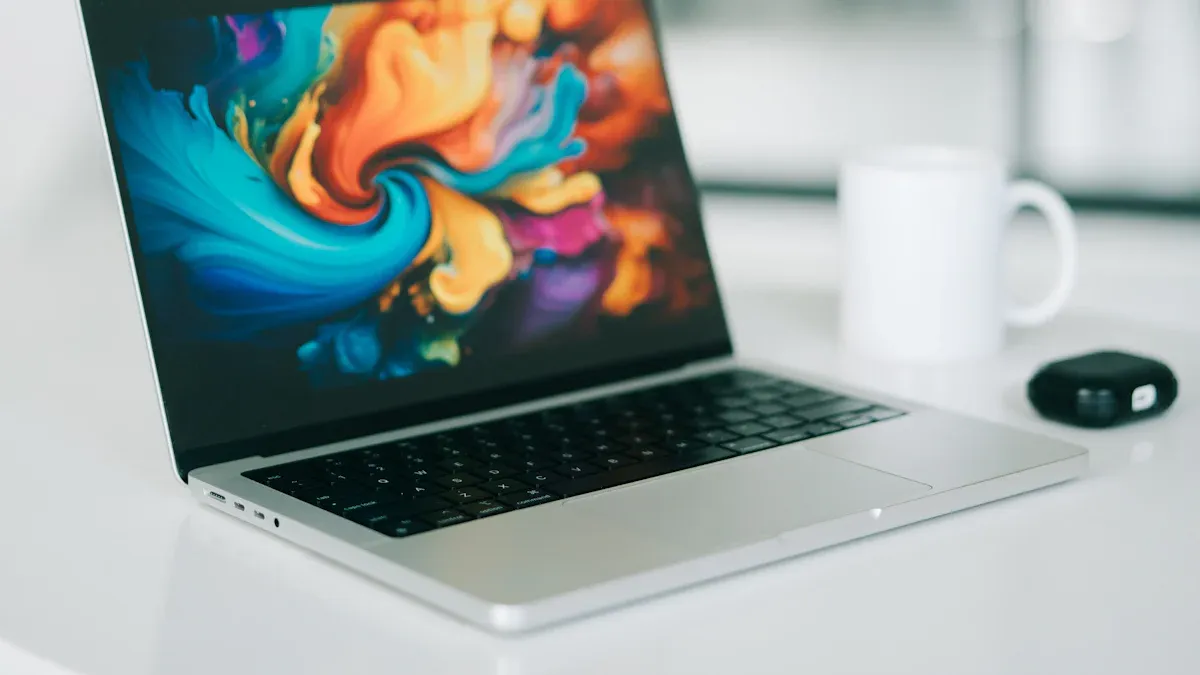
When you’re on the hunt for the best laptop, focusing on key specifications is essential. These specs directly impact your productivity and overall experience. Let’s break down the most important components: the processor, RAM, and storage.
Processor
The processor is the heart of your laptop. It determines how fast your device can perform tasks. For work and study, you want a processor that can handle multiple applications without slowing down. Look for at least an Intel Core i5 or AMD Ryzen 5. These processors provide a good balance between performance and price. If you plan to run demanding software, consider upgrading to an Intel Core i7 or AMD Ryzen 7.
RAM
RAM plays a crucial role in how well your laptop performs, especially when multitasking. Here’s a quick look at how RAM size impacts performance:
Aspect | Impact on Performance |
|---|---|
RAM Capacity | Essential for multitasking; 8GB is sufficient for general use, while 16GB or more is better for demanding tasks. |
RAM Speed | Higher speeds (e.g., 3200MHz) improve multitasking and application load times. |
Multitasking Power | Sufficient RAM allows multiple applications to run smoothly, crucial for students and professionals. |
For most users, 8GB of RAM is a good starting point. However, if you often have many tabs open or run heavy applications, aim for 16GB or more. This will ensure that your laptop remains responsive and efficient.
Storage
Storage type and capacity are also vital. You have two main options: SSD (Solid State Drive) and HDD (Hard Disk Drive). Here’s how they compare:
Feature | SSD | HDD |
|---|---|---|
Speed | Up to 7000 MB/s | Up to 500 MB/s |
Startup Time | Instantaneous | Slower |
Latency | Less latency | Higher latency |
Power Consumption | 1/4 to 1/3 less than HDD | Higher power consumption |
Long-term Reliability | Less reliable due to data leaks after a year | More reliable for long-term storage |
TBW (Terabytes Written) | Effectiveness decreases as TBW approaches maximum | N/A |
SSDs are faster and more reliable, making them the preferred choice for the best work laptop. They boot up quickly and load applications in a flash. If you need a lot of storage for files, consider a laptop with at least 256GB SSD or a combination of SSD and HDD for the best of both worlds.
Essential Features of a Laptop

When choosing the best laptop for work and study, you can’t overlook essential features that enhance your experience. Let’s dive into three key aspects: battery life, display quality, and portability.
Battery Life
Battery life is a game-changer for students and professionals alike. Imagine working on a project or studying for an exam without the constant worry of finding an outlet. A laptop with long battery life allows you to focus on your tasks without interruptions. The longevity of a laptop’s battery is essential for maintaining productivity. You can work or study for hours, whether you’re in a coffee shop, library, or even on a bus. This capability enables you to manage your workload effectively, making it easier to stay on top of your responsibilities.
Display Quality
Next up is display quality. A clear and vibrant screen makes a significant difference in your daily tasks. Whether you’re reading documents, watching lectures, or designing presentations, a high-resolution display enhances your experience. Look for laptops with at least a Full HD (1920 x 1080) resolution. This ensures that text appears sharp and images are vivid. Additionally, consider the screen size. A larger display can improve your productivity, especially when multitasking. However, balance this with portability, as larger screens can make laptops bulkier.
Portability
Portability is another crucial feature to consider. A lightweight laptop allows you to carry your entire work environment wherever you go. This flexibility transforms idle time into productive time. You can work during your commute or study in different locations, like parks or cafes. Portability enhances the overall usability of laptops, making them versatile tools for both education and remote work. When selecting a laptop, aim for a model that weighs around 3 pounds or less. This way, you can easily slip it into your backpack and take it with you.
Tip: Don’t forget to check the connectivity options! Having multiple ports, like USB-C, HDMI, and headphone jacks, can make your laptop even more versatile.
By focusing on these essential features, you can find the best laptop that meets your needs for work and study in 2026.
Recommended Laptop Brands
When it comes to choosing the best laptop, the brand can make a significant difference. Some brands stand out for their reliability and performance. Let’s take a look at a few top brands that you should consider.
Top Brands Overview
Apple: Known for its sleek design and user-friendly interface, Apple consistently ranks high in customer satisfaction. Their laptops, especially the MacBook Air and MacBook Pro, offer excellent performance and long battery life.
Dell: Dell laptops are popular for their durability and performance. The XPS series is particularly well-regarded for its high-quality displays and powerful specs, making it a favorite among professionals and students alike.
HP: HP offers a wide range of laptops that cater to different needs. Their Spectre and Envy series are known for their stylish designs and solid performance, making them great choices for both work and study.
Lenovo: Lenovo laptops, especially the ThinkPad series, are famous for their robust build quality and excellent keyboards. They are ideal for those who prioritize typing comfort and productivity.
Acer: Acer provides budget-friendly options without compromising on performance. Their Swift and Aspire series are great for students who need reliable laptops for everyday tasks.
Brand-Specific Features
Each brand has unique features that set them apart. Here’s a quick comparison of customer satisfaction ratings among these top brands:
Brand | Net Promoter Score | Customer Service Ranking |
|---|---|---|
Apple | Highest | 1 |
Acer | 28 | 2 |
HP | 28 | 3 |
Dell | Low | 4 |
Lenovo | 23 | 5 |
Samsung | Average | N/A |
Apple leads the pack with the highest net promoter score, indicating that customers are very likely to recommend their products. Acer and HP follow closely, showing solid performance in customer service. Dell and Lenovo have room for improvement, but they still offer reliable laptops that many users appreciate.
Tip: When choosing a brand, consider what features matter most to you. Whether it’s design, performance, or customer service, each brand has something unique to offer.
By understanding the strengths of these brands, you can make a more informed decision when selecting the best laptop for your work and study needs in 2026.
Budgeting for Your Laptop
Setting a budget for your laptop is one of the most important steps in your buying journey. You want to make sure you get the best laptop that fits your needs without breaking the bank. Here are some tips to help you set a realistic budget:
Identify Your Needs: Think about what you’ll use the laptop for. Will you be doing basic tasks like browsing the web and writing papers, or do you need something more powerful for gaming or graphic design? Knowing your requirements helps narrow down your options.
Research Prices: Spend some time looking at different models and their prices. This will give you a good idea of what to expect in your budget range.
Consider Future Needs: If you plan to keep your laptop for several years, it might be worth investing a bit more now to avoid needing an upgrade later.
Look for Deals: Keep an eye out for sales, especially during back-to-school seasons or holiday sales. You can often find great discounts on laptops.
Now, let’s talk about value for money. You want to ensure that the laptop you choose offers the best value for the features it provides. Here’s a breakdown of how different price ranges stack up in terms of features:
Price Range | Features Description | Target Users |
|---|---|---|
Under $500 | Basic computing, adequate for web browsing and light productivity. | Budget-conscious users, students |
$500-$800 | Solid build quality, comfortable for productivity, decent displays. | Mainstream users |
$800-$1,500 | Premium build, better displays, suitable for creative work and moderate gaming. | Professionals, creatives |
$1,500-$2,500 | High-performance for gaming and creative tasks, premium materials. | Gamers, professionals |
Above $2,500 | Specialized machines with cutting-edge components, for demanding users. | Enthusiasts, specialized professionals |
When you look at these ranges, you can see that spending a little more often gets you better performance and features. For instance, if you’re a student, a laptop in the $500-$800 range might be the best value laptop for your needs. It offers a good balance of performance and price, allowing you to handle your coursework efficiently.
On the other hand, if you’re a professional who needs a laptop for creative tasks, investing in the $800-$1,500 range could be worthwhile. You’ll get a machine that can handle demanding software and provide a better display for your work.
Ultimately, finding the best laptop for your budget means balancing your needs with the features that will enhance your productivity. By setting a clear budget and understanding the value of different models, you can make a smart choice that serves you well for years to come.
Tips for Choosing the Right Laptop
Assessing Your Needs
Before you dive into the world of laptops, take a moment to assess your needs. Understanding what you require will help you find the best laptop for your work and study. Here are some factors to consider:
Factor | Description |
|---|---|
Usage Scenarios | Determine the primary purpose of the laptop, such as business tasks or gaming. |
Battery Life | Consider how long the battery lasts, especially for mobility. |
Size and Weight | Assess the portability of the laptop based on its weight and dimensions. |
Screen Size and Resolution | Choose a screen that is comfortable for your viewing needs without causing eye strain. |
Processor and Graphics | Evaluate the processor’s efficiency for running programs and multitasking. |
Storage and Memory | Decide between traditional hard drives and faster solid-state drives based on your storage needs. |
Optical Drive Needs | Consider if you need a CD/DVD drive for your usage. |
Ports and Expandability | Check for necessary ports to connect other devices. |
Security Features | Look for features that protect personal information, especially for mobile devices. |
Warranty Considerations | Review warranty options for potential repairs and support. |
By evaluating these factors, you can narrow down your options and find a laptop that fits your lifestyle.
Comparing Options
Once you know what you need, it’s time to compare your options. Start by looking at the specifications that matter most for your work and study requirements. Here’s a quick overview of essential specifications to consider:
Specification | Requirement |
|---|---|
Operating System | Windows 11 or MacOS 10.12 or higher |
CPU | Intel i5 Dual Core or greater |
RAM Memory | 8GB or greater |
Hard Drive | 256 GB Solid State Drive or larger |
Audio and Video | Integrated webcam and microphone |
Connectivity | Wi-Fi 802.11 g/n or greater |
Screen Size | 13” or larger (15” recommended) |
Screen Resolution | 1920×1080 (1080p Full HD) or higher |
Warranty | 3 years or length of degree program |
When comparing laptops, focus on how each option meets your specific needs. Look for the best performance in terms of speed, battery life, and display quality. Don’t forget to read reviews and check customer feedback. This will give you insights into how well a laptop performs in real-world scenarios.
By assessing your needs and comparing options effectively, you’ll be well on your way to finding the best laptop for your work and study in 2026.
Choosing the right laptop for work and study can feel overwhelming, but it doesn’t have to be. Focus on understanding the features that matter most to you. Consider your specific needs, whether you’re tackling basic tasks or handling more demanding applications.
Remember, the right laptop can boost your productivity.
Avoid common pitfalls by researching and comparing options.
With the right information, you can make an informed decision that suits your lifestyle. So, take your time, weigh your options, and find a laptop that works for you!