When you choose a high-performance laptop, you’re not just picking a device; you’re investing in your productivity and efficiency. The Key Features of the right laptop can significantly impact how smoothly your tasks run and how long your laptop lasts. For instance, studies show that laptops with better specifications can boost employee productivity by 3.5% and reduce IT support costs by up to 33%. By focusing on the essential Key Features of a laptop, you ensure that your investment pays off in the long run.
Key Takeaways
Choose a powerful processor like Intel Core i5 or AMD Ryzen 5 for better performance.
Opt for at least 16GB of RAM and SSD storage for smooth multitasking and faster load times.
Look for a high-resolution display, such as Full HD or 4K, to enhance your visual experience.
Select a laptop with at least 8 hours of battery life to stay productive on the go.
Ensure the laptop has a solid warranty and good customer support for peace of mind.
Performance

Processor and Graphics
When you think about a high-performance laptop, the processor and graphics are at the heart of its capabilities. A powerful CPU (central processing unit) ensures that your laptop can handle demanding tasks like video editing, gaming, or running multiple applications simultaneously. Look for laptops with at least an Intel Core i5 or AMD Ryzen 5 processor. If you’re into heavy multitasking or content creation, consider stepping up to an Intel Core i7 or Ryzen 7.
Graphics also play a crucial role. Integrated graphics work fine for everyday tasks, but if you plan to game or work with graphic design software, a dedicated graphics card is essential. Brands like NVIDIA and AMD offer excellent options that can significantly enhance your visual experience.
Storage and Memory
Next up is storage and memory. These two features can make or break your laptop’s performance. For multitasking and content creation, aim for a minimum of 16GB of RAM. If you’re a power user, especially when dealing with high-resolution video or complex projects, consider 32GB or more. This extra memory helps with rendering times and allows you to switch between applications smoothly.
When it comes to storage, opt for solid-state drives (SSD) over traditional hard drives. SSDs are faster, more reliable, and can drastically reduce boot times and load times for applications. A good starting point is a laptop with at least 512GB of SSD storage. If you work with large files, you might want to look for options with 1TB or more. This way, you won’t have to worry about running out of space while working on your projects.
Display Quality
Resolution
When you’re working on a laptop, the resolution of your screen can make a huge difference in your experience. A higher resolution means more pixels, which leads to sharper images and clearer text. This is especially important if you often read documents or work with graphics. For text-heavy workflows, a high resolution helps you read small text without straining your eyes. You’ll find that precision tasks, like graphic design or photo editing, require sufficient resolution to spot small differences and alignment cues.
Imagine trying to edit a photo on a low-resolution screen. You might miss details that could affect your final product. Plus, if your screen has jagged edges or pixelation, it can distract you and lead to fatigue. So, when choosing a laptop, look for one with at least a Full HD (1920 x 1080) resolution. If you want even better clarity, consider a 4K (3840 x 2160) display. This high resolution can enhance your productivity and comfort, making your work feel less like a chore.
Refresh Rate
The refresh rate of your laptop screen also plays a vital role in your overall experience. Measured in hertz (Hz), the refresh rate indicates how many times per second the screen updates the image. A higher refresh rate, like 120Hz or 144Hz, provides smoother visuals, which is particularly beneficial for gaming or watching fast-paced videos. If you enjoy gaming, a higher refresh rate can give you a competitive edge by reducing motion blur and making your gameplay feel more responsive.
For everyday tasks, a standard refresh rate of 60Hz is usually sufficient. However, if you plan to use your laptop for gaming or video editing, investing in a model with a higher refresh rate can significantly enhance your experience. You’ll appreciate the difference when scrolling through web pages or playing your favorite games.
Battery Life
Battery Capacity
When you’re on the go, battery life becomes one of the most important features of your laptop. You want a laptop that can keep up with your busy lifestyle without constantly searching for an outlet. A laptop with a high battery capacity allows you to work, play, or stream for hours without interruption.
Here are a few things to consider when looking at battery capacity:
Longer Usage Time: A laptop with a larger battery capacity means you can use it longer between charges. This is especially useful if you travel often or work in places where power outlets are scarce.
Efficiency Matters: Look for laptops that balance battery capacity with energy efficiency. Some laptops come with power-saving modes that help extend battery life even further.
Real-World Performance: Check reviews to see how long the battery lasts during typical use. Sometimes, manufacturers may claim impressive battery life, but real-world performance can vary.
Tip: Aim for a laptop that offers at least 8 hours of battery life for a good balance of performance and portability. If you can find one that lasts longer, even better!
In today’s fast-paced world, having a laptop with excellent battery life means you can stay productive without being tethered to a wall. Whether you’re working on a project, watching a movie, or browsing the web, a reliable battery keeps you connected and engaged.
So, when you’re shopping for your next laptop, don’t overlook the importance of battery capacity. It can make all the difference in how you use your device day-to-day.
Build Quality
Material Durability
When you invest in a high-performance laptop, material durability is crucial. You want a device that can withstand daily wear and tear, especially if you’re always on the go. Manufacturers often use specific materials to enhance durability while keeping the laptop lightweight. Here’s a quick look at some common materials used in high-performance laptops:
Material | Description |
|---|---|
Magnesium Alloy | Lightweight and durable, ideal for rugged laptop chassis construction. |
Impact-Resistant Polymer | Provides protection against drops and impacts while maintaining mobility. |
These materials not only protect your laptop but also contribute to its overall design. A well-built laptop can handle the bumps and scrapes of everyday life, ensuring that it lasts longer and performs better.
Weight
Another important aspect of build quality is the weight of your laptop. If you’re frequently traveling or commuting, you’ll want a laptop that’s easy to carry around. A lighter laptop can make a big difference in your daily routine. Here are a few points to consider regarding weight:
Portability: A lightweight laptop is easier to slip into your bag and carry around. You won’t feel weighed down during your travels.
Comfort: If you spend long hours working on your laptop, a lighter model can reduce strain on your arms and shoulders.
Size Matters: While you want a lightweight laptop, you also need to consider the screen size. A balance between size and weight is essential for usability.
Recent trends show that many users prefer laptops that combine powerful specifications with a sleek, lightweight design. Gaming laptops, for instance, are gaining popularity due to their robust performance and often surprisingly manageable weight. Ergonomic accessories, like adjustable laptop stands, can also enhance your comfort while using a laptop.
Tip: When shopping for a laptop, consider both the weight and the materials used in its construction. This combination will help you find a device that meets your performance needs while being easy to carry.
Connectivity
Ports
When you think about connectivity, the types of ports on your laptop can make a big difference. They determine how easily you can connect to other devices and peripherals. Here’s a quick look at some essential ports you should consider:
Port Type | Functionality |
|---|---|
USB-A | For connecting legacy accessories |
HDMI | For external displays with extended/mirrored capabilities |
SD/Micro SD | For transferring photos and data |
USB-C PD passthrough | Allows charging of the laptop while using the hub |
These ports help you connect everything from external monitors to storage devices. If you often work with media files, having an SD card slot can be a lifesaver. Plus, USB-C ports are becoming the standard for many devices, so look for laptops that include them.
Wireless Technology
In addition to physical ports, wireless technology is crucial for modern laptops. You want a laptop that supports the latest Wi-Fi standards, like Wi-Fi 6. This technology offers faster speeds and better performance in crowded areas. It’s perfect for streaming, gaming, or video conferencing without interruptions.
Another feature to consider is Bluetooth capability. This allows you to connect wireless accessories like headphones, mice, and keyboards. It keeps your workspace tidy and free from tangled cords.
If you’re serious about performance, look for laptops with Thunderbolt ports. They provide incredible flexibility, allowing you to power devices, transfer data, and output video signals all at once. Here’s how they benefit you:
Benefit | Description |
|---|---|
Flexibility | Thunderbolt ports can power devices, transfer data, and output video signals simultaneously. |
Bandwidth | They offer a bidirectional bandwidth of 40Gbps, enabling quick data transfer and connection of multiple devices. |
Versatile | Compatible with various standards including USB, DisplayPort, and PCIe, fitting standard USB-C connectors. |
With the right ports and expandability, you can enhance your laptop’s functionality and ensure it meets your needs now and in the future.
Tip: Always check the connectivity options before buying a laptop. Make sure it has the ports and wireless capabilities that fit your lifestyle!
Usability Features
Keyboard Comfort
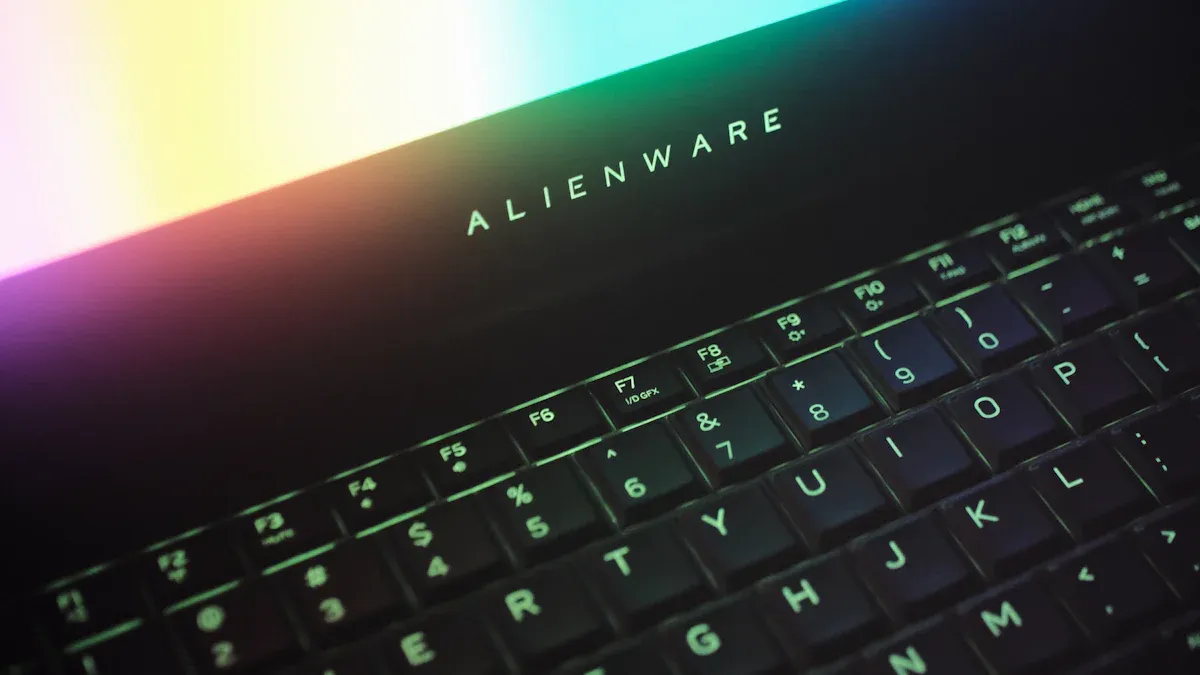
When you spend hours typing on your laptop, keyboard comfort becomes essential. A comfortable keyboard can make your work feel less like a chore. Look for laptops with well-spaced keys that provide good feedback. You want keys that are neither too soft nor too hard to press. A backlit keyboard can also be a great feature, especially if you often work in low-light conditions.
Here are some key aspects to consider for keyboard comfort:
Key Travel: This refers to how far the keys move when you press them. A good key travel distance helps prevent finger fatigue.
Layout: A well-designed layout allows for easy access to all keys, including function keys and number pads.
Material: Some keyboards use materials that feel better to the touch, enhancing your typing experience.
Touchpad Responsiveness
The touchpad responsiveness of your laptop can significantly impact your productivity. A responsive touchpad allows for smooth navigation and quick actions. Many modern touchpads support multitouch gestures, which can enhance your efficiency. For example, you can zoom in or out with a simple pinch gesture. This feature is especially useful for design tasks where precision matters.
Here are some benefits of a responsive touchpad:
Touchpad gestures enhance navigation and efficiency, particularly beneficial for users on the go.
The multitouch capabilities allow for quick actions like zooming and panning, which can significantly improve productivity in design tasks.
Natural gestures reduce the learning curve, making it a practical tool for users who need to work efficiently.
Upgradeability
Component Accessibility
When you buy a laptop, think about its upgradeability. This feature can save you money and extend the life of your device. You want a laptop that allows you to easily access and replace components like RAM, storage, and even the battery. Here’s why this matters:
Future-Proofing: Technology changes fast. A laptop that lets you upgrade components means you can keep it relevant for years. Instead of buying a new laptop every few years, you can simply upgrade parts as needed.
Cost-Effective: Upgrading components is often cheaper than buying a new laptop. For example, adding more RAM or swapping out an old hard drive for a larger SSD can boost performance without breaking the bank.
Personalization: You can customize your laptop to fit your needs. If you’re a gamer, you might want to upgrade the graphics card. If you work with large files, increasing your storage can help.
Before you buy, check how easy it is to access the components. Some laptops have a removable back panel, making upgrades simple. Others may require more effort, which can be frustrating.
Tip: Look for laptops that come with detailed manuals or online guides. These resources can help you understand how to upgrade your laptop without any hassle.
Warranty and Support
Manufacturer Warranty
When you buy a laptop, the manufacturer warranty is a key feature to consider. This warranty protects your investment and gives you peace of mind. If something goes wrong, you want to know that you can get help without spending extra money. Here are some reasons why a solid warranty matters:
Coverage: A good warranty covers defects in materials and workmanship. This means if your laptop has a problem due to a manufacturing issue, you can get it repaired or replaced at no cost.
Duration: Look for warranties that last at least one year. Some manufacturers offer extended warranties for an additional fee. This can be a smart choice if you plan to keep your laptop for several years.
Customer Support: Reliable customer service is just as important as the warranty itself. You want a company that responds quickly and helps you solve problems. Check online reviews to see what other users say about their experiences.
Tip: Before you buy, read the warranty details carefully. Make sure you understand what’s covered and what isn’t. Some warranties may have limitations, like requiring you to pay for shipping.
Having a strong warranty and good customer support can save you time and money in the long run. You’ll feel more confident in your purchase, knowing that help is available if you need it. So, when you’re shopping for your next laptop, don’t overlook this important feature!
Choosing the right high-performance laptop means considering several key features. Here’s a quick recap of what to look for:
Processor and Graphics: Ensure you have enough power for your tasks.
Storage and Memory: Opt for SSDs and sufficient RAM for smooth performance.
Display Quality: Higher resolutions enhance your visual experience.
Battery Life: A long-lasting battery keeps you productive on the go.
Build Quality: Durable materials and lightweight designs matter for portability.
Connectivity: Look for essential ports and modern wireless technology.
Usability Features: Comfortable keyboards and responsive touchpads improve your workflow.
Upgradeability: Choose laptops that allow easy component upgrades.
Warranty and Support: A solid warranty provides peace of mind.
Remember, your needs dictate which features are most important. Whether you’re a student, professional, or gamer, prioritize what matters most to you. This way, you’ll find a laptop that truly fits your lifestyle.
Tip: Take your time to research and compare options. A well-informed decision leads to a satisfying purchase!
FAQ
What should I prioritize when choosing a laptop?
Focus on performance features like the processor, RAM, and storage. Also, consider display quality, battery life, and build quality to ensure a good balance between usability and durability.
How much RAM do I need for a high-performance laptop?
For most users, 16GB of RAM is ideal. If you plan to run demanding applications or multitask heavily, consider upgrading to 32GB for smoother performance.
Is a dedicated graphics card necessary?
If you plan to game, edit videos, or work with graphic design, a dedicated graphics card is essential. For everyday tasks, integrated graphics usually suffice.
How can I improve my laptop’s battery life?
To extend battery life, adjust screen brightness, close unused applications, and enable power-saving modes. Regularly updating your software can also help optimize performance.
What is the average warranty period for laptops?
Most laptops come with a one-year warranty. Some manufacturers offer extended warranties for an additional fee, which can provide extra peace of mind.