Cyber threats targeting smartphones are more common than ever. You rely on your smartphone for many daily tasks, making its security crucial. Without proper protection, you expose yourself to risks such as malware, phishing attacks, and data breaches. Implementing best practices in cybersecurity can help you safeguard your information and maintain your privacy.
Key Takeaways
Use strong, unique passwords for each account to protect against unauthorized access.
Regularly update your smartphone’s software to fix vulnerabilities and enhance security.
Manage app permissions carefully to prevent data leakage and protect your privacy.
Utilize biometric security features for quick and secure access to your device.
Back up your data regularly to ensure you can recover important information if needed.
Cyber Threats

Types of Threats
Smartphones face various mobile security threats that can compromise your personal information. Here are some common types of threats:
Malware: This software can infect your device, steal data, or damage files. It often comes from untrusted apps or websites.
Phishing: Cybercriminals use deceptive messages to trick you into revealing sensitive information. They often target mobile users, with 82% of phishing sites aimed at smartphones.
Ransomware: This type of malware locks your files and demands payment for access. It can lead to significant data loss and financial strain.
Lost or Stolen Devices: If someone steals your phone, they can access your personal data, leading to identity theft or financial loss.
Bad Password Hygiene: Weak passwords make it easy for hackers to gain access to your accounts.
Impact on Users
The impact of these cyber threats can be severe. Mobile malware can lead to unauthorized access to sensitive information, resulting in potential identity theft. Financial losses can occur when cybercriminals target banking apps to steal your financial information.
Impact Area | Description |
|---|---|
Compromised Personal Data | Unauthorized access to sensitive information, leading to potential identity theft. |
Financial Losses | Cyber criminals target banking apps to gain access to users’ financial information. |
Emotional Distress | Users may experience anxiety and distress from the potential loss of important data. |
Mobile attacks primarily aim for financial gain, costing users significantly. For instance, one in four individuals has experienced digital wallet theft, resulting in monetary losses. Additionally, nearly 24% of smartphone users have fallen victim to mobile phishing attacks. These threats can disrupt your daily life and cause emotional distress, making it essential to stay informed and proactive about mobile security.
Security Practices
Password Management
Managing your passwords effectively is one of the best practices for mobile security. Strong passwords protect your sensitive information from unauthorized access. Here are some strategies to enhance your password management:
Strategy | Description |
|---|---|
Strong Passphrase | Use a combination of upper and lowercase letters, numbers, and symbols to create a difficult-to-guess passphrase. |
Password Encryption | Protect passwords with end-to-end encryption to secure them during transmission and storage. |
Two-Factor Authentication | Implement an additional verification method, such as a one-time code, alongside traditional passwords. |
Biometric Verification | Utilize methods like facial recognition or fingerprints for enhanced security. |
Unique Passwords | Use different passwords for each account to minimize risk if one password is compromised. |
Using strong, unique passwords reduces the risk of unauthorized access to your smartphone. Strong passwords are less predictable, making them harder for attackers to guess. They resist common hacking techniques like brute-force attacks and credential stuffing. Unique passwords for different accounts prevent a single breach from affecting multiple accounts.
Software Updates
Regular software updates are crucial for maintaining your smartphone’s security. These updates often include security patches that fix vulnerabilities. Failing to update your device can expose you to various threats. Here’s how regular updates impact your mobile security:
Evidence Type | Description |
|---|---|
Increased Risk of Malware and Spyware | Devices that don’t receive regular updates are susceptible to exploitation of known vulnerabilities, allowing malware creators to steal personal information and take control of devices. |
Insecurity from Fragmented Update Environment | Google’s built-in tools provide some protection, but cannot match the level of security offered by regular operating system updates. |
Update Cadence Variability | Manufacturers controlling both software and hardware tend to have better update practices, reducing vulnerability risks compared to those that do not. |
Most major smartphone operating systems release security patches on a monthly, bi-monthly, or quarterly basis. Keeping your device updated ensures you benefit from the latest security enhancements.
App Permissions
Managing app permissions is essential for protecting your privacy and security. Many applications request access to sensitive information, which can lead to data leakage if not monitored. Here are some risks associated with granting excessive app permissions:
Data Leakage: Sensitive information can be accessed, stored, or transmitted without oversight.
User Tracking: Cross-app surveillance and behavioral analytics compromise user privacy.
Shadow IT: Apps downloaded outside official IT channels may bypass policy enforcement.
Compliance Risk: Violating GDPR, HIPAA, or other data privacy regulations can be costly.
Brand Damage: A mobile app breach can erode user trust and damage corporate reputation.
To enhance your smartphone security, follow these practices for managing app permissions:
Only install apps you need.
Remove apps you no longer use.
Manage app permissions and deny access to data or functions you do not want an app to have.
Secure Connections
Establishing secure connections is vital when using your smartphone. Public Wi-Fi networks can expose you to various threats. Here are some best practices for ensuring network security:
Be cautious when connecting to unencrypted (open) wireless networks, as they are vulnerable to eavesdropping.
Avoid connecting to unrecognized wireless networks.
Disable auto-connect features for networks.
Turn off Wi-Fi and Bluetooth when not in use.
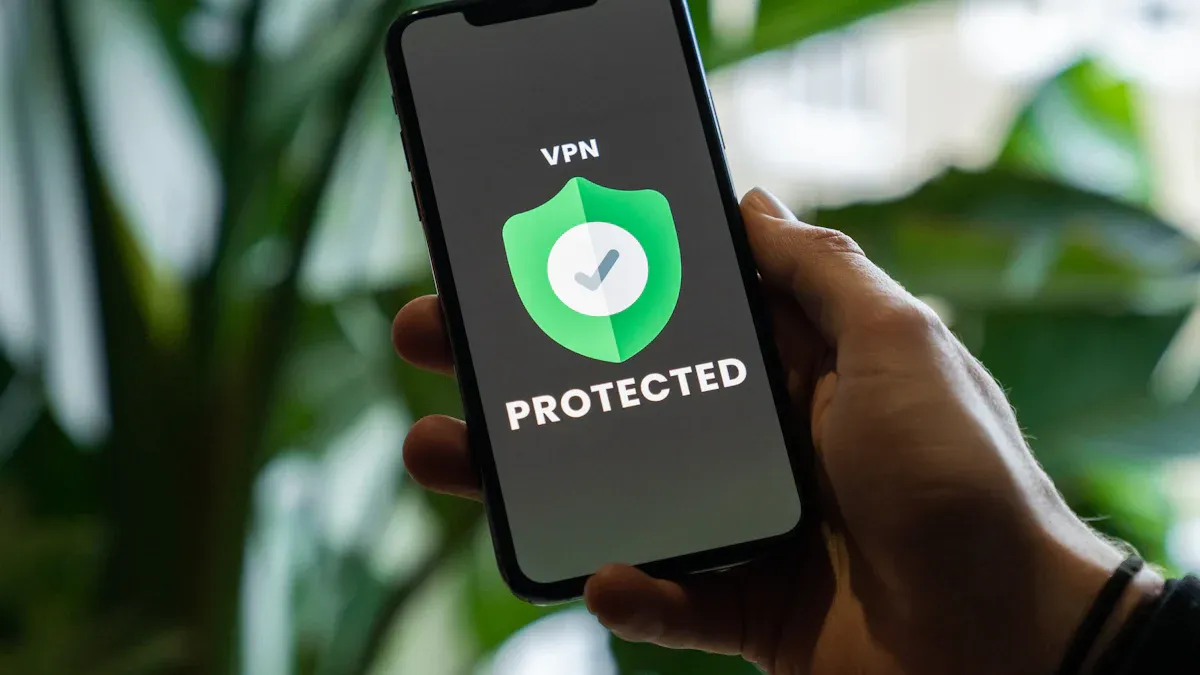
Using a VPN can further enhance your security when connecting to public networks. A VPN creates a private tunnel for your internet traffic, shielding your data from third parties and ISPs. It encrypts all communications, ensuring that even if intercepted, they cannot be read.
By following these security practices, you can significantly reduce the risk of cyber threats and protect your sensitive information.
Advanced Mobile Security
Biometric Security
Biometric security uses unique physical traits to verify your identity. This technology has advanced significantly, making it a reliable option for securing your smartphone. Here are some of the latest advancements in biometric security:
AI and Machine Learning Integration: These technologies enhance performance by detecting patterns and adapting to changes in your biometric data.
Liveness Detection: This feature protects against spoofing by distinguishing real biometric samples from fakes.
Mobile Biometric Technology: Advanced fingerprint and facial recognition systems now integrate seamlessly into mobile devices, improving accessibility.
Cloud-Based Solutions: These solutions offer scalability and improved recognition accuracy by utilizing cloud storage and AI.
Fingerprint sensors have transitioned to under-display models, making them faster and more accurate. Facial recognition technology has improved with 3D mapping and infrared capabilities, enhancing security against spoofing attempts. Additionally, behavioral biometrics analyze your unique patterns, such as typing rhythm and gait, to restrict unauthorized access.
Using biometric security provides several benefits:
Convenience: You can unlock your device quickly without remembering complex passwords.
Enhanced Security: Biometric data is unique to you, making it difficult for others to replicate.
Layered Protection: Many devices combine biometric checks with other security measures, especially for mobile payments.
Encryption Techniques
Encryption is crucial for protecting your data on smartphones. It transforms your information into a code that only authorized users can read. Here are some common encryption techniques used to secure your smartphone data:
Hardware Encryption: Devices like Apple iOS use hardware encryption, where the file system is encrypted and requires a passcode for decryption.
Software Encryption: This technique allows individual applications to encrypt data, providing additional security for sensitive information.
One of the most effective methods of encryption is end-to-end encryption. This technique ensures that only the intended recipients can access and understand the transmitted data. It protects your messages from unauthorized access during transmission, which is vital for maintaining your privacy and security. By encrypting messages at your device and decrypting them only at the recipient’s device, end-to-end encryption prevents unauthorized access by third parties, including service providers.
Implementing these advanced security measures can significantly enhance your smartphone’s protection against cyber threats. By utilizing biometric security and encryption techniques, you can safeguard your personal information and maintain your privacy in an increasingly digital world.
Regular Maintenance Tips
Monitoring Activity
Regularly monitoring your smartphone activity is essential for maintaining mobile security. You can detect suspicious behavior and potential threats by keeping an eye on your device. Here are some effective methods to help you monitor your smartphone activity:
Anti-Spyware Apps: Use tools like Malwarebytes, Kaspersky, and Norton Mobile to detect known surveillance apps and suspicious behaviors.
Built-in Device Security: Take advantage of features in iOS and Android, such as Google Play Protect and Privacy Reports, to identify unauthorized activity.
Network Monitoring Tools: Apps like GlassWire and NetGuard can help you detect unusual data transmissions and patterns, indicating potential spying.
By actively monitoring your smartphone, you can catch threats early and take action to protect your data.
Data Backups
Backing up your data is a crucial step in safeguarding your information. Regular backups help mitigate the impact of cyber threats, ensuring you can recover your data if something goes wrong. Here are some reliable data backup solutions for smartphones:
Backup Solution | Type | Pros | Cons |
|---|---|---|---|
Google Backup | Cloud-based | Free for basic storage, seamless integration | Limited free storage, privacy concerns |
iCloud | Cloud-based | Deep integration with iOS, end-to-end encryption | Limited free storage, requires WiFi |
Microsoft OneDrive | Cloud-based | Cross-platform support, automatic backup | Less integration with mobile OS |
Dropbox | Cloud-based | Reliable service, strong file versioning | Limited free storage, no native message backup |
SMS Backup & Restore | Specialized app | Detailed control, scheduled backups | Limited to messages, requires manual setup |
Google One | Cloud-based | Expands Google ecosystem, family sharing | Subscription cost, limitations for non-Google apps |
iTunes Backup | Computer-based | Complete backup solution, no cloud limitations | Manual process, time-consuming restoration |
Android Debug Bridge | Computer-based | Comprehensive solution, no storage limitations | Technical complexity, time-consuming process |
Establishing a backup routine safeguards against unforeseen events. Regular backups protect against data loss from theft or cyber-attacks. Many services offer automatic backups, simplifying the process. By backing up your data, you ensure that your important information remains safe and accessible.
In summary, securing your smartphone is essential in today’s digital landscape. You learned about various cyber threats, including malware and phishing, and the impact they can have on your personal data. Implementing best practices, such as strong password management, regular software updates, and careful app permissions, can significantly enhance your security.
Remember, proactive measures can reduce your risk of cyber threats.
Consider these key practices:
Use strong encryption for your data.
Employ biometric authentication for added security.
Regularly back up your data to prevent loss.
By taking these steps, you can protect your smartphone and personal information from potential threats. Stay informed and vigilant to enjoy a safer mobile experience.