When you dive into the world of laptops, you’ll often hear about laptop specifications. These specs detail the technical aspects of a laptop, influencing its performance and usability. Understanding these specifications is crucial. It helps you choose a laptop that meets your needs. Recent surveys show that users find laptops easier to use than handheld devices. They also report that laptops are faster and more satisfying for data entry tasks. So, knowing what to look for can significantly enhance your experience.
Key Takeaways
Understand key laptop specifications like CPU, RAM, and storage. These specs affect performance and usability.
Choose a laptop based on your needs. Students should look for an Intel Core i5, 8GB RAM, and a mix of SSD and HDD storage.
When buying, consider online and in-store options. Each has benefits like convenience or hands-on experience.
Key Laptop Specs
When you’re shopping for a laptop, understanding the key specifications can make a big difference. Each spec plays a role in how well your laptop performs for your specific needs. Let’s break down the most important specs you should consider.
CPU (Processor)
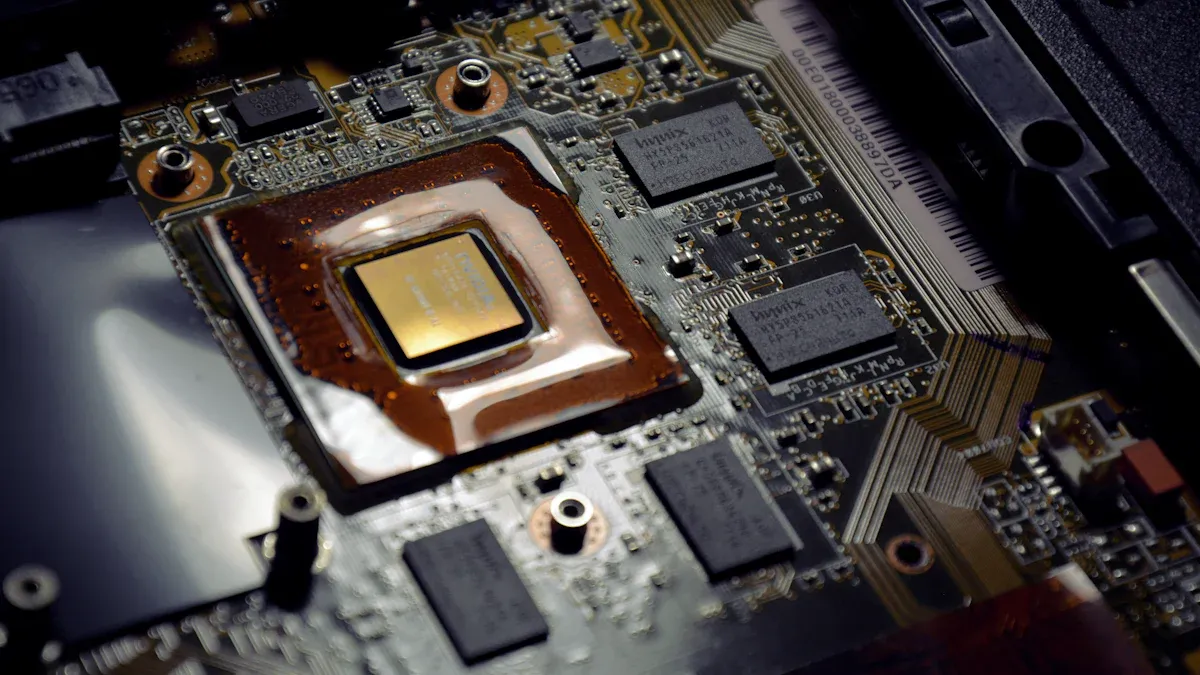
The CPU, or processor, is the brain of your laptop. It handles all the calculations and tasks your laptop performs. When choosing a laptop, look for a processor that matches your usage. For everyday tasks like browsing and word processing, an Intel Core i5 or AMD Ryzen 5 will do just fine. If you plan to run demanding applications or play games, consider a more powerful option like an Intel Core i7 or AMD Ryzen 7.
Processor Types | Description |
|---|---|
Intel Core i3 | Good for basic tasks like web browsing and document editing. |
Intel Core i5 | A solid choice for multitasking and moderate gaming. |
Intel Core i7 | Ideal for heavy multitasking and gaming. |
AMD Ryzen 5 | Comparable to Intel Core i5, great for gaming and productivity. |
AMD Ryzen 7 | Excellent for demanding applications and gaming. |
RAM (Memory)
RAM is crucial for multitasking. It temporarily stores data that your laptop needs to access quickly. More RAM means better performance, especially when running multiple applications. Recent tests show that having 32GB of RAM is ideal for heavy multitasking. This amount keeps your system responsive, even with several programs open. If you only use your laptop for light tasks, 8GB or 16GB should suffice.
Storage Types
Storage affects how quickly your laptop can access files and programs. There are two main types of storage: HDD (Hard Disk Drive) and SSD (Solid State Drive).
Feature | SSDs | HDDs |
|---|---|---|
Speed | Faster due to no moving parts | Slower due to mechanical components |
Reliability | More reliable; withstands shocks better | Less reliable; vulnerable to physical damage |
Power Efficiency | More power efficient | Less power efficient |
SSDs are faster and more reliable than HDDs, making them the preferred choice for most users. If you want quick boot times and fast file access, go for an SSD.
GPU (Graphics Card)
The GPU handles graphics rendering. If you plan to play games or use graphic-intensive applications, a dedicated GPU is essential. Integrated GPUs are fine for casual use, but they share memory with the system, which can limit performance.
Feature | Integrated GPU | Dedicated GPU |
|---|---|---|
Performance in Gaming | Suitable for light tasks | Essential for high-performance gaming |
Memory Usage | Shares memory with the system | Has its own VRAM for improved performance |
Professional Applications | Ideal for casual users | Necessary for demanding workloads like AI and video editing |
Frame Rates and Visuals | Limited capabilities | Higher frame rates and sophisticated visual effects |
Compute Power | Not sufficient for heavy tasks | High compute power for rendering and simulation |
Connectivity Options
Modern laptops come with various connectivity options. Look for USB-C, HDMI, and audio jacks for peripheral connections. Many new models also support Wi-Fi 6 and Bluetooth 5.0, enhancing your wireless experience. Some even offer 5G and 4G LTE capabilities, giving you internet access on the go. This variety allows you to connect to different devices and networks easily.
Tip: Always check the connectivity options before buying. You want to ensure your laptop can connect to all your devices without hassle.
Understanding these key specifications will help you choose the best laptop for your needs. Whether you’re a student, gamer, or professional, knowing what to look for can make your laptop experience much more enjoyable.
Laptop Buying Guide
Choosing the right laptop can feel overwhelming, especially with so many options available. But don’t worry! This guide will help you pick the perfect laptop based on your needs. Whether you’re a student, a gamer, or a professional, you’ll find tips tailored just for you.
For Students
When you’re a student, you need a laptop that can handle your academic workload without breaking the bank. Here are some essential tips to consider:
Performance: Look for a laptop with at least an Intel® Core™ i5 processor. This will give you solid performance for most academic software.
Memory: Aim for 8 GB of RAM. This amount allows you to multitask effectively, especially when running multiple applications.
Storage: A combination of a 128 GB SSD for speed and a 1 TB HDD for storage is ideal. This setup gives you quick access to files while providing ample space for documents and media.
Screen Size: A 15-inch touchscreen can enhance your experience, making it easier to navigate through your studies.
Battery Life: Look for laptops that offer up to six hours of battery life. This ensures you can get through classes without needing a charge.
Here’s a quick overview of the best options for most students:
Laptop Feature | Best Option for Most Students |
|---|---|
CPU | Intel® Core™ i5 processor |
HDD | 1 TB |
SSD | 128 GB |
RAM | 8 GB |
Screen size | 15-inch touchscreen |
Ports | Thunderbolt™ 3, HDMI/DVI/VGA, SD card reader |
Battery life | Up to six hours |
Operating system | Windows® 10 |
For Gamers
If gaming is your passion, you need a laptop that can keep up with demanding graphics and fast-paced gameplay. Here’s what to focus on:
Graphics Card: A dedicated graphics card is essential. Look for options with at least 4 GB of VRAM to ensure smooth gameplay.
Processor: An Intel i7 or AMD Ryzen 7 will provide the power you need for high-performance gaming.
RAM: Go for 16 GB of RAM. This amount helps with multitasking and running resource-heavy games.
Storage: A 1 TB SSD is ideal for quick load times and ample space for your game library.
Display: A high refresh rate display (at least 120Hz) will enhance your gaming experience.
For Professionals
For professionals working with resource-intensive applications, you need a laptop that can handle heavy workloads. Here’s what to consider:
Processor: An Intel i5 or AMD Ryzen 5 is the minimum requirement, but consider upgrading to an i7 or Ryzen 7 for better performance.
Memory: At least 16 GB of RAM is recommended. This ensures your laptop runs smoothly when using multiple applications.
Storage: A 1 TB SSD is ideal for fast access to files and applications.
Graphics: If you work with design or video editing software, a dedicated graphics card is necessary.
Operating System: Windows 11 Professional or MacOS will provide the features you need for professional work.
Here’s a quick look at the specifications you should aim for:
Specification Type | Minimum Requirements | Recommended Requirements |
|---|---|---|
Processor | Intel i5 or AMD Ryzen 5 | Intel i7 or AMD Ryzen 7 |
Memory | 8 GB RAM | 16 GB RAM |
Storage | 500 GB SSD | 1 TB SSD |
Graphics | N/A | Dedicated graphics card with 4 GB VRAM |
Operating System | Windows 11 / MacOS | Windows 11 Professional / MacOS |
Wireless | Dual band Wi-Fi 5 | Dual band Wi-Fi 6 |
Web camera and mic | Yes | Yes |
Tip: The average lifespan of laptops in professional settings is typically between 3 to 7 years. Investing in a quality laptop can save you money in the long run.
By considering these factors, you can choose the right laptop that fits your lifestyle and needs. Remember to think about what’s your budget and how you plan to use your laptop. With the right specs, you’ll be set for success!
Where to Buy a Laptop
When it comes to buying a laptop, you have several options. Each method has its pros and cons. Let’s explore them!
Online Shopping
Shopping online offers convenience and a wide selection. You can compare prices and read reviews from other buyers. Here are some tips for online shopping:
Check for deals: Websites often have sales or discounts.
Read reviews: Look for feedback on the laptop’s performance and reliability.
Verify the seller: Ensure you buy from reputable sites to avoid scams.
In-Store Purchases
Buying a laptop in-store allows you to see and test the device before purchasing. You can ask questions and get immediate assistance. Here are some benefits of in-store shopping:
Hands-on experience: You can feel the keyboard and check the screen quality.
Immediate support: Staff can help you find the right laptop for your needs.
Instant gratification: You can take your laptop home right away!
Second-Hand Considerations
Buying a second-hand laptop can save you money, but you need to be cautious. Here are some factors to consider:
Check the processor, RAM, and storage type based on your usage.
Inspect the battery cycle and estimated life using diagnostic tests.
Review warranty or return coverage specifications.
Before you buy, make sure to:
Test the keyboard and touchpad functionality.
Inspect the screen for dead pixels or discoloration.
Verify that all ports are working properly.
By keeping these tips in mind, you can find the right laptop for your needs, whether you shop online, in-store, or consider a second-hand option.
Understanding laptop specifications is vital for making the right choice. Consider your needs, like battery life and storage capacity, to ensure long-term satisfaction. Resources are available to help you find the perfect laptop for your use case, whether you’re a student, gamer, or professional. Happy shopping!
Use Case | Recommended Specifications | Link to Resource |
|---|---|---|
Students | Laptops for studying, writing, and editing. | Explore laptop recommendations by use case |
Creators | Specifications for graphic design, video editing, and music production. | Explore laptop recommendations by use case |
Gamers | Recommendations for gaming laptops with high performance. | Explore laptop recommendations by use case |
AI Enthusiasts | Laptops with advanced AI capabilities and specifications. | Explore laptop recommendations by use case |
FAQ
What should I look for in a laptop?
Focus on the CPU, RAM, storage type, and battery life. These specs impact performance and usability.
How much RAM do I need for gaming?
For gaming, aim for at least 16 GB of RAM. This amount helps run games smoothly without lag.
Can I upgrade my laptop later?
Many laptops allow upgrades for RAM and storage. Check your model’s specifications to see what’s possible.