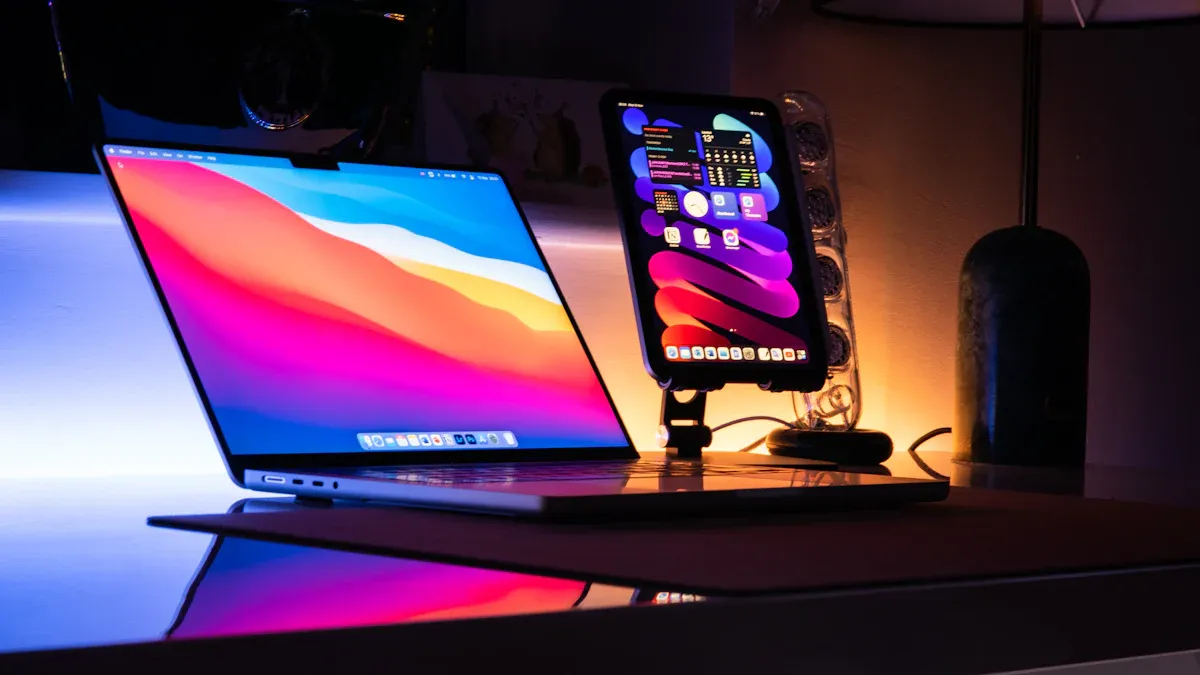
Choosing between a laptop and a desktop really depends on what you need. Think about how you plan to use your computer. Do you need to take it on the go, or will it stay in one place? Portability, performance, cost, and upgradeability all play a big role in your decision. Interestingly, recent research shows that while 73.4% of users prefer desktop PCs, 26.6% lean towards gaming laptops. This preference highlights how different needs shape choices in the laptop vs. desktop debate.
Key Takeaways
Consider your mobility needs when choosing between a laptop and a desktop. Laptops are ideal for users who need to work on the go.
Desktops offer better performance and upgradeability, making them suitable for gamers and professionals who require high power.
Evaluate your budget carefully. Laptops may have higher upfront costs, but desktops can provide better long-term value through upgrades.
Portability

Advantages of Laptops
When it comes to portability, laptops shine. They offer you the freedom to work or play from almost anywhere. Whether you’re at a coffee shop, on a train, or in a park, a laptop lets you take your work with you. This greater portability is a game-changer for on-the-go users. You can easily slip a laptop into your bag and head out without worrying about finding a power outlet. Plus, many modern laptops come with impressive battery life, allowing you to stay productive even when you’re away from home.
Laptops also provide a range of connectivity options. While they typically have fewer ports than desktops, they still allow you to connect to Wi-Fi and other devices. This flexibility makes them ideal for professionals like content creators and data analysts who need to work in various environments. However, keep in mind that the integrated design of laptops can sometimes lead to discomfort during long use.
When to Choose a Desktop
On the other hand, desktops have their own advantages when it comes to portability. While they aren’t as mobile as laptops, they can still be a good choice for users who prioritize performance over mobility. If you mainly work from home or in a fixed location, a desktop might be the better option. Desktops often offer more power and upgradeability, which can be crucial for tasks that require high performance.
For those who need a balance of performance and mobility, portable desktops are available. These machines cater to professionals who need high performance on the go, such as field service technicians. They provide a solid alternative to traditional laptops, combining the benefits of both worlds.
Performance: Laptop vs. Desktop

Gaming Performance
When it comes to gaming, performance is key. You want a device that can handle the latest titles without lagging or crashing. Desktops generally offer superior performance compared to laptops. They have more powerful components, which translates to better graphics and faster processing. If you’re a serious gamer, you might want to consider a desktop for its ability to run games at higher settings and resolutions.
Here’s a quick comparison of performance scores for high-end laptops versus desktops in gaming applications:
Device Type | Resolution | CPU Model | Performance Score | Focus |
|---|---|---|---|---|
Laptop | 1080p | Intel Core Ultra 9 285HX | 8,000+ | AAA gaming at high settings |
Laptop | 1440p | AMD Ryzen 9 7945HX | 6,000-8,000 | Balanced FPS & Visuals |
Desktop | 1080p | AMD Ryzen 9 9900X3D | 11,000+ | 400+ FPS for extreme refresh rates |
Desktop | 1440p | AMD Ryzen 7 7800X3D | 9,000-11,000 | 144-165 FPS with high/ultra settings |
Desktop | 4K | AMD Ryzen 9 9950X3D | N/A | Consistent frame pacing at high resolution |
As you can see, desktops often outperform laptops, especially in demanding scenarios. If you want the best experience in gaming, a desktop is likely the better choice.
Professional Work Performance
For professional work, the choice between a laptop and a desktop can depend on your specific needs. If you often work on the go, a laptop provides the flexibility you need. Many modern laptops pack a punch with impressive processing power, making them suitable for tasks like video editing, graphic design, and programming. However, they may struggle under heavy workloads due to thermal management issues.
Laptops generate over 150 watts of heat during intensive tasks in compact spaces, leading to performance throttling and component degradation. In contrast, desktops have larger cooling solutions that allow for better heat dissipation.
Desktops, on the other hand, excel in sustained performance. They can handle demanding applications without overheating, thanks to their superior cooling systems. This makes them ideal for power users who require consistent performance over long periods.
When laptop temperatures exceed safe operating thresholds—typically 95-100°C for CPUs and 85-90°C for GPUs—automatic thermal throttling kicks in, resulting in 20-40% performance degradation during sustained workloads.
Cost and Upgradeability
Cost Comparison
When it comes to cost, you’ll find that laptops and desktops can vary significantly. Generally, laptops tend to have a higher upfront price compared to desktops with similar specifications. This is mainly due to the compact design and advanced technology required to make them portable. You might pay a premium for the convenience of mobility.
Here’s a quick breakdown of average costs:
Device Type | Average Price Range |
|---|---|
Laptop | $600 – $2,500 |
Desktop | $400 – $1,800 |
While laptops can be more expensive, they often come with everything you need right out of the box. Desktops, however, can offer better value for money, especially if you’re willing to build your own system. You can choose components that fit your budget and needs, which can lead to significant savings.
Upgrade Options
Upgradeability is another crucial factor to consider. If you want a computer that can grow with your needs, desktops are the clear winner. You can easily swap out components like the graphics card, RAM, or storage. This flexibility allows you to keep your desktop relevant for years. In fact, desktops can often last longer than laptops, typically exceeding five years due to their customizable nature.
On the other hand, laptops have limited upgrade options. Most models allow you to upgrade RAM and storage, but that’s about it. The compact design makes it challenging to replace other components. As a result, laptops generally have a shorter lifespan, lasting around three to five years. This limitation can impact your long-term investment, especially if you plan to use your computer for demanding tasks.
Remember, if you want a device that can adapt to new software and applications, a desktop might be the better choice.
Choosing between a laptop and a desktop really comes down to your specific needs. If portability is key, a laptop might be the best fit for you. However, if you want high performance and upgrade options, a desktop could be your ideal computing experience.
Consider the following:
Laptops: Great for students and business professionals who need mobility.
Desktops: Perfect for gamers and developers who prioritize power and customization.
Ultimately, think about what works best for your lifestyle and preferences!